What to Do If Your Earbuds Aren't Working
Discover practical steps to fix earbuds not working. Headphones Info guides you through quick fixes, diagnostics, and safety tips for wireless and wired models.


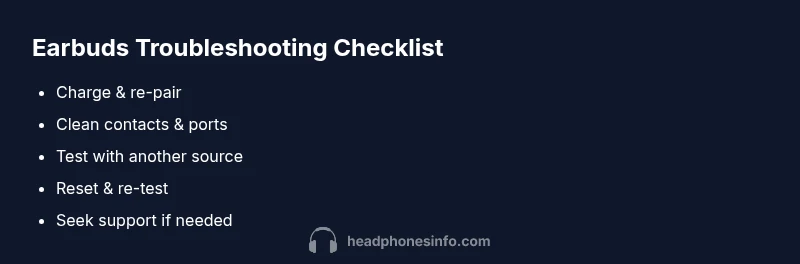
The most common fixes for earbuds not working are simple: first, charge the case and earbuds fully; then re-pair via Bluetooth or remove and re-connect the device; if wired, check the jack or USB-C cable and try a different port; finally, reset the earbuds to factory settings and test again.
Why Earbuds Stop Working
If you’re trying to solve the problem of what to do if your earbuds are not working, you’re not alone. Earbuds can stop functioning for a variety of reasons, from battery health to dirty contacts or software glitches. In most cases the fix is straightforward and non-destructive. According to Headphones Info, wireless earbuds tend to fail most often due to battery degradation and pairing issues, while wired models typically suffer from damaged jacks or frayed cables. By identifying the root cause quickly, you can apply the right remedy without unnecessary steps. This section helps you understand common failure modes and sets the stage for effective troubleshooting. The guidance here emphasizes a methodical, low-risk approach that will save time and minimize frustration while preserving your listening experience.
Quick Fixes You Can Try Right Now
Before diving into deep diagnostics, try these quick fixes in order of simplicity. Headphones often respond to the simplest actions. First, place the earbuds back in the charging case and ensure the case has power; charge for at least 30 minutes. Then remove and re-pair them with your source device or forget the device and pair again. If you’re using wired earbuds, try a different device or port to rule out a faulty jack. Clean the charging contacts and any exposed metal with a dry, lint-free cloth. If your model supports a factory reset, perform it and re-test. If it still doesn’t work, proceed to the deeper checks described below. Based on Headphones Info research, many issues are resolved by these initial steps, which minimizes the need for professional service.
Cleaning, Ports & Physical Check
Debris on the charging contacts or in the jack can silently block power or signal. Start with a soft brush or compressed air to remove dust from the earbud surfaces, charging contacts, and the charging case. Wipe the exterior with a microfiber cloth; never use liquids on electronics. Inspect the cable for visible wear, kinks, or loose connectors. If you use wireless earbuds, ensure the charging case lid closes properly and the case itself is charging. Make sure the USB-C or Lightning connector isn’t loose in the port. Reassemble and test again. Clean hardware is often the simplest, most overlooked fix and can restore reliable performance. Re-checking these basics frequently resolves intermittent faults that irritate users.
Diagnosing Sound or Microphone Issues
If you hear crackling, low volume, or uneven sound, or if the microphone isn’t picking up your voice, you’re looking at a signal path issue rather than a pure power problem. Check for Bluetooth interference by temporarily turning off nearby wireless devices, then test with a direct connection to a single source. Update the earbud firmware if an update is available; firmware can fix known bugs. Swap left and right earbuds to see if the problem is isolated to one bud. If only one bud works, it might be a loose connection inside the stem. Document when the issue occurs (audio drop, mic drop, or both) to share with support if needed. These steps isolate the problem and guide the next actions.
Battery Life and Charging Troubles
Battery health is often the unseen culprit. If earbuds last only a short time after a full charge, consider calibration: fully charge, then use until discharge without charging mid-cycle. If your case shows inconsistent charging, try a different cable or charger. Keep the charging contacts clean to prevent misreads by the device. Check that the charging case indicator lights show expected patterns (for example, solid vs blinking). Firmware updates can improve battery management and charging behavior. Misunderstandings about standby vs playback time are common, so calibrating the battery helps set honest expectations.
When to Repair, Replace, or Seek Help
If basic resets, cleaning, and re-pairing do not restore function, you likely face a hardware fault or serious battery issue. Contact the manufacturer’s support or visit an authorized service center for a professional diagnosis. If the earbuds are under warranty, this path is often cost-free or inexpensive. For out-of-warranty units, compare the cost of repair with replacement. In some cases, internal parts are no longer available; in those cases, replacement is the sensible option. Consider total cost of ownership, lifespan, and your usage pattern when deciding.
Common Mistakes to Avoid and Safety Warnings
Avoid using alcohol or solvents on earbuds or charging contacts—they can damage coatings and seals. Don’t jostle the earbuds or pull cables aggressively during testing; gentle handling preserves internal connections. Don’t attempt do-it-yourself repairs beyond basic cleaning and resets; internal components can be delicate and dangerous. Always unplug chargers before inspecting cables. If you smell burning plastic or hear unusual noises, stop and seek professional help immediately. Following safe practices protects both your device and hearing health.
Steps
Estimated time: 20-25 minutes
- 1
Charge and verify power
Place the earbuds in the charging case and connect the charger. Allow a full, steady charge for at least 30 minutes. Confirm the LED indicator shows normal charging behavior. If the case has a dedicated charge light, ensure it remains on during the process.
Tip: Use the official charging cable and avoid USB hubs that may drop power. - 2
Re-pair the earbuds to your device
On your source device, forget the earbuds and re-pair from scratch. Put the buds back into pairing mode and select them from the Bluetooth list. Confirm the connection and test playback or mic input.
Tip: If pairing requires a long press, hold until the LED changes color to indicate pairing mode. - 3
Reset to factory settings
If available, perform a factory reset from the case or the companion app. This clears pairing data and refreshes internal profiles. After resetting, re-pair as a new device and test.
Tip: Backup any custom EQ or settings if the app supports it before reset. - 4
Test with a secondary source
Connect the earbuds to a different phone, laptop, or tablet to determine if the issue is device-specific. If they work on another device, the problem is likely with the original source or its settings.
Tip: Disable other active Bluetooth devices to reduce interference during test. - 5
Seek professional help or replacement
If problems persist after the above steps, contact the manufacturer or a certified repair service. Compare repair costs with replacement options and consider warranty coverage.
Tip: Keep receipts and records of firmware versions to aid support.
Diagnosis: Earbuds won't pair or play audio
Possible Causes
- highLow or dead battery
- highBluetooth pairing issues or outdated firmware
- mediumDirty charging contacts or debris in ports
- lowHardware failure in driver or PCB
Fixes
- easyCharge fully and reset if applicable; re-pair with your device
- easyClean contacts and ports; reseat the buds in the case and try again
- easyTest with another device and check for Bluetooth interference; update firmware
- mediumIf problems persist, contact support or visit a service center
People Also Ask
Why won't my earbuds pair with my phone?
First, ensure Bluetooth is enabled on your phone and the earbuds are in pairing mode. Forget the devices and re-pair, and check for firmware updates. If it still fails, test with another phone to rule out device-specific issues.
Make sure Bluetooth is on, put the buds in pairing mode, and try again. If needed, test with another phone.
Why do my earbuds crackle or cut out during playback?
Crackling often stems from poor connections, interference, or outdated firmware. Clean the contacts, update firmware, and re-pair. Try a different audio source to see if the issue persists.
Intermittent sound is usually due to connections or firmware—clean, update, and re-pair.
Only one earbud works at a time—what should I do?
This typically indicates a loose internal connection or a faulty driver in the non-working earbud. Clean contacts, reset, and test both sides. If the problem remains, seek support or replacement.
If only one bud works, there may be a hardware issue; try resetting and testing both sides, then contact support if needed.
Are wired earbuds more reliable than wireless ones?
Wired earbuds can be more reliable for consistency and latency, but are limited by the port and cable wear. Wireless models offer convenience but depend on battery health and Bluetooth stability.
Wired can be steadier, but wireless frees you from cables; reliability varies by model and care.
What should I do if my earbuds won’t charge?
Check the charging case and the cable for damage, clean contacts, and try a different charger. If the indicator behaves oddly, it may require service or battery replacement.
If they won’t charge, inspect the case, clean contacts, and try another charger before seeking help.
How long do earbuds last before replacement is needed?
Lifespan depends on use and care. Most quality earbuds offer several years of reliable service with proper charging habits and occasional firmware updates.
With good care, you can expect several years of use; firmware updates help longevity.
Watch Video
What to Remember
- Charge fully before tests
- Re-pair and reset when stuck
- Clean contacts and inspect for physical damage
- Test on multiple devices to isolate the fault