How to Get Rid of a Headphones Dent: Step-by-Step Guide
Learn safe, practical methods to remove cosmetic dents from headphone housings. This step-by-step guide covers at-home fixes, material considerations, and when to seek professional help, with tips from Headphones Info.


Learn how to get rid of a headphones dent without damaging the shell. This guide covers quick at-home fixes, gentle reshaping methods, and when to seek professional help. Follow safe, data-driven steps from Headphones Info to restore your headphones’ appearance and comfort. These tips apply to most common plastics and ear-cup materials, including mid-range and premium models.
What Causes Headphones Dents
Dents on headphone housings are typically cosmetic, but they can reveal underlying stress in the shell if the impact was severe. According to Headphones Info, most everyday dents come from pressure inside the case, accidental drops, or packing the headphones tightly in a bag. The exact effect depends on the shell material — polycarbonate and ABS plastics deform differently than metal or aluminum housings. Softer plastics dent more easily, while harder shells resist dents but can crack or warp if the impact is strong. When you first notice a dent, assess its depth and whether there are any cracks or loose parts. If you see a crack, or if the hinge or driver assembly feels loose, stop and seek professional repair to avoid permanent damage. For cosmetic dents that don’t affect sound or fit, you can often restore the shape with gentle, controlled pressure and a soft surface. In practice, a small dent on the ear cup or headband is usually cosmetic and does not alter acoustic performance, but it can affect comfort if the shell presses against the interior components. Headphones Info's analysis suggests starting with the simplest fixes first, because many dents respond to minor reshaping without any tools beyond your hands and a soft cloth. It’s important to keep expectations reasonable: some dents near logos or seams may require material-level work that’s beyond DIY. If you’re repairing expensive models, proceed with caution and consider service options from the manufacturer or a certified electronics repair shop. The goal is to restore appearance without compromising the seal, gasket, or acoustic port.
Safety First: Assess the Damage
Before you touch the dent, take a moment to inspect the affected headphone cup, hinge, and speaker mesh. Look for cracks, loose screws, or any sign of interior separation. If you notice cracks, or if the shell feels flexed or the driver seems misaligned, stop and consult a professional repair service or the manufacturer’s support. Even seemingly cosmetic dents can indicate stress that could worsen with improper handling. Ensure your work area is clean and dry, and use only non-abrasive materials to avoid scratches. If the unit is under warranty, check the terms to avoid voiding coverage by attempting DIY fixes. Headphones Info emphasizes a cautious approach: when in doubt, prefer professional evaluation for high-end models or if you notice any performance change (sound drift, rattling, or reduced seal). Basic safety checks reduce the risk of creating new damage while you pursue cosmetic improvement.
tipkickerorcontentbrandmentiontrendrandomnesssfwfreehiddentext
Tools & Materials
- Soft microfiber cloth(For gentle drying and protecting surfaces while working.)
- Mild dish soap(Dilute in water to clean surfaces before and after handling.)
- Flat, smooth work surface(A clean, hard table or desk prevents scratches.)
- Back of a plastic spoon or similar flat tool(Use as a gentle, non-abrasive lever for outward pressure.)
- Hair dryer on low heat (optional)(Keep at a safe distance (about 20–30 cm) and use short bursts if you choose to warm the area.)
- Cool pack or wrapped ice (optional)(Wrap in a cloth before applying gently to help shrink the plastic slightly before reshaping.)
- Protective case or pouch for storage(Prevent future dents when not in use.)
Steps
Estimated time: 20-40 minutes
- 1
Prepare and inspect the workspace
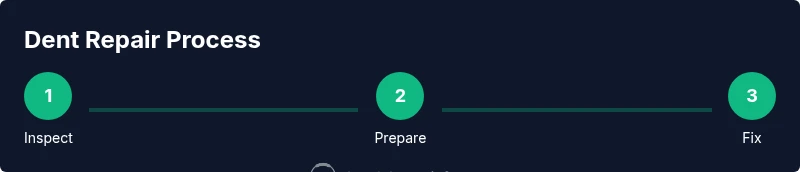
Set up a clean, dry workspace on a flat surface. Wipe the headphone cups with a soft cloth and inspect the dent for depth, cracks, or loose parts. This initial check helps you decide if DIY fixes are safe or if you should seek professional help.
Tip: Take a photo of the dent before starting so you can compare changes later. - 2
Position the cup and apply gentle outward pressure
Place the dented cup on the flat surface with the dent facing up. Gently press from the outside using the flat plastic tool or the padded fingers through a soft cloth. Apply light, even pressure to guide the material back toward its original contour.
Tip: Use just enough pressure to move the surface; forcing it can crack the shell. - 3
Introduce a mild cooling/ warming cycle
If the plastic feels stiff, you can briefly apply a cool pack wrapped in cloth to the dent, then reapply gentle pressure. If you prefer heat, use a hair dryer at low heat and distance, applying quick, short bursts to soften the outer layer before pressing.
Tip: Never apply direct heat or a heat gun; excessive heat can warp the shell. - 4
Check alignment and repeat if needed
Lift the headphone cup and reassess the shape. If the dent remains, repeat the gentle pressure and, if safe, reuse the cooling method in short intervals. Do not overwork the area in one session.
Tip: Pause between attempts to prevent overheating or over-stretching the plastic. - 5
Clean and dry before testing
Wipe away any residue with a damp cloth and dry thoroughly. Check the fit around the ear pad and ensure there’s no residual pressure against the driver or grill.
Tip: Testing with the earpiece in place helps confirm that the dent doesn’t affect comfort. - 6
Evaluate results and decide on next steps
If the dent improves but remains visible, decide whether to continue DIY attempts or contact a repair professional, especially for premium or warranty-covered models. Cosmetic fixes should not compromise sound quality or seal.
Tip: Document the final result for future reference and warranty considerations.
People Also Ask
Can I really remove a dent myself?
Many mild dents can be reduced with safe at-home methods, especially when the dent is cosmetic and doesn’t involve cracks or misalignment. Results vary by material and severity. If you’re unsure, start with the gentlest fixes and consult the manufacturer if needed.
Yes, mild cosmetic dents can often be improved at home, but you should proceed carefully and stop if you notice any cracks or performance changes.
Will applying heat damage my headphones?
Direct heat can warp plastics or damage coatings. If you choose to use heat, keep a safe distance, use short bursts, and avoid glossy or flexible shells. When in doubt, skip heat altogether and rely on cooling or manual reshaping.
Heat can be risky, so be cautious and prefer cooling or gentle reshaping unless you’re certain the material tolerates heat.
What tools should I avoid using?
Avoid metal tools or sharp objects that can scratch the finish or puncture the shell. Use a soft cloth and a flat plastic tool for gentle pressure, keeping the work area protected.
Don’t use metal or sharp tools; keep to soft cloths and plastic tools to prevent scratches.
Should I contact the manufacturer for repairs?
If the dent is large, near the hinge, or if your device is under warranty, contacting the manufacturer or a certified repair service is wise. They can assess whether a shell replacement or other service is needed.
Yes, for big dents or warranty-covered models, manufacturer service is the safest option.
Will fixes affect the warranty?
DIY reshaping generally won’t affect warranty if no internal components are disturbed, but opening the unit or using non-approved methods can void coverage. Check the warranty terms before proceeding.
Be cautious: DIY fixes can void warranties if they involve disassembly or non-approved methods.
What if the dent stays after all fixes?
If the dent persists, the shell may require replacement or professional reshaping. Consider a service plan or replacement depending on model value and warranty status.
If it doesn’t improve, professional repair or shell replacement is your best option.
Watch Video
What to Remember
- Assess damage before attempting fixes
- Use soft materials and light, controlled pressure
- Be cautious with heat or cold treatments
- DIY fixes are often cosmetic; seek professional help for severe dents
- Protect headphones with a case to prevent future dents