Why Are Headphones So Uncomfortable: Causes and Fixes
Discover why headphones feel uncomfortable and learn practical, data-driven fixes. From fit and clamp force to ear pad materials, this guide helps you enjoy longer listening sessions with Headphones Info.


Most discomfort comes from clamp pressure, ill fit, and ear pad materials that press on the ears. Start by loosening or correctly adjusting the headband, crown height, and ear cups. If needed, swap to models with adjustable cups or softer memory-foam pads to distribute pressure more evenly for longer listening sessions.
Why Are Headphones So Uncomfortable
Discomfort in headphones isn’t always the same for every listener. It’s a combination of how the headband clamps, how the ear cups align with your ears, and the materials used in the pads. If you wear glasses or have different ear shapes, pressure points can form at the temples or above the ears. In addition, the weight and balance of the headset influence how much force sits on each contact point. Even small changes, like the angle of the cups or the curve of the headband, can make a big difference over a long listening session. According to Headphones Info, the most persistent complaints come from clamp pressure and cup depth, which we see across many popular models. The right fit isn’t just about size—it’s about how the headset distributes its weight and how the pads contour to your ears. Comfort is a personal metric, not a universal spec, and it often requires a tailored setup to perform well across minutes and hours of use.
Common Culprits: Fit, Clamp, and Ear Pads
- Clamp pressure: If the headband presses tightly against your head, even small pressure over time can become painful. This is especially true if you have a rounder head or a low hairline where the band sits hard on the scalp.
- Cup depth and ear size: Over-ear designs work best when the cups fully encircle the ear without pressing on the ear rim. If the cups rest on the ear lobe or sit too shallow, pressure points form and heat builds up.
- Ear pad material: Rough, stiff, or hard padding creates friction and hot spots. Memory-foam or velvet-like pads cushion the ear and help distribute pressure more evenly.
- Glasses and hair: Glasses frames can press on the temples, increasing discomfort, while long hair can trap heat under the pads.
- Weight and balance: Heavier headsets pull downward, increasing clamping force. Even small shifts in the center of gravity can change the load distribution.
Headphones Info notes that the combination of poor fit and stiff ear pads is a frequent source of discomfort across brands and price ranges. A good approach is to tackle fit first, then consider pad upgrades or a model with adjustable cups.
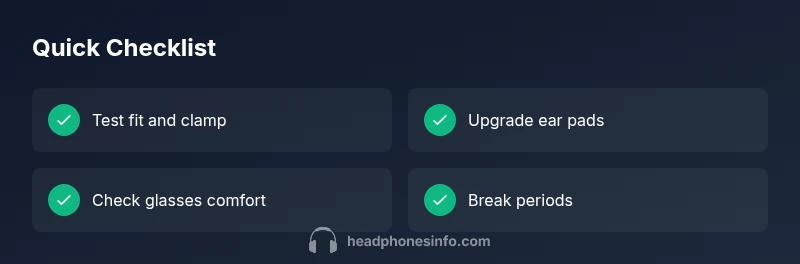
Quick Checks You Can Perform in 5 Minutes
- Inspect the headband: Look for uneven padding and ensure the band isn’t pressing too hard on the top of your head.
- Check ear pads: If padding is thin, cracking, or hard, consider replacing with memory-foam alternatives or thicker cushions.
- Adjust cup position: Move the cups up or down and tilt them to avoid pressure on the temples or ear lobes.
- Try glasses-friendly adjustments: Shift the headset slightly forward or back to reduce temple pressure.
- Take short breaks: Even the best-fit headphones benefit from micro-breaks to relieve pressure points.
Hands-On Fixes That Provide Real Relief
- Adjust the fit: Loosen the headband and re-seat cups to distribute pressure more evenly. A proper fit should feel snug but not painful within the first 30 seconds of wearing.
- Pad upgrades: Replace stiff pads with memory foam or silicone cushions. Look for larger cups if your ears feel pinched, or pads with breathable covers to reduce heat buildup.
- Add cushions and strap pads: External cheek or crown cushions can redirect pressure away from sensitive areas and improve overall comfort.
- Position for glasses wearers: If you wear glasses, position the headband slightly higher and tilt the cups to avoid temple pressure.
- Breaks and volume control: Keep listening at moderate volumes and take breaks every 45–60 minutes to minimize fatigue.
When to Consider Upgrading or Custom Solutions
If comfort remains an issue after adjustments and pad swaps, you may need a model with a more forgiving clamp or different ear cup geometry. Budget models often prioritize cost over fit, while mid-tier and premium options offer more adjustability and softer materials. Design trade-offs exist: larger cups can improve comfort for bigger ears but may be bulkier, while lighter frames reduce clamping pressure but may compromise soundstage. In many cases, trying a different headband tension profile or cup depth can resolve persistent discomfort. Headphones Info recommends testing multiple models within your budget range to identify which combination of clamp, cup depth, and pad material best suits your head shape.
Comfort for Glasses Wearers and Hair Styles
Glasses add pressure points at the temples, and hairstyles can influence how the pad seals against the skin. Solutions include choosing headphones with softer temple contact, opting for open-back designs that dissipate pressure, or using anti-slip pad covers at contact points. For long sessions, consider models that explicitly advertise glasses-friendly designs and extra padding around the temple area. A small tilt to the cups can reduce friction against the frames while maintaining a good seal for passable isolation.
Safety, Hygiene, and Maintenance
Keeping pads clean and dry helps avoid skin irritation and reduces material breakdown that can make pads feel harder over time. Wipe foam pads gently with a damp cloth; avoid soaking materials. Replace pads showing cracking, flattening, or persistent odor, as they can alter fit and cause additional pressure points. Store headphones in a cool, dry place to prevent degradation of padding. Regular cleaning also helps prolong comfort and sound quality.
Steps
Estimated time: Estimated total time: 20-40 minutes
- 1
Check initial fit and clamp
Put the headphones on and assess whether the headband sits comfortably without pinching. If the clamp feels too tight, loosen slightly and re-check alignment so cups sit centered over the ears.
Tip: Use a mirror or have a friend help for symmetry - 2
Evaluate ear pad condition
Inspect ear pads for wear, stiffness, or cracking. If pads are hard or worn, consider replacements with memory foam or softer materials to improve pressure distribution.
Tip: Choose larger cups if you have larger ears or want more seal without pinching - 3
Adjust for glasses wearers
Move the headset slightly higher or lower and tilt cups to minimize temple pressure while preserving a good seal.
Tip: Experiment with different tilt angles in small increments - 4
Try padding upgrades
Install memory-foam or gel-infused pads and ensure a breathable cover to reduce heat buildup beneath the cups.
Tip: Ensure pads are compatible with your model to avoid rattling or misalignment - 5
Test and monitor
Wear for short periods first, then gradually extend sessions while keeping volume moderate. If discomfort returns, reassess fit or consider alternatives.
Tip: Take a 5–10 minute break after every 45–60 minutes
Diagnosis: Headphones cause discomfort during or after use
Possible Causes
- highExcess clamp pressure from a tight headband or adjustable arms
- highPoor fit for head shape or ear size (on-ear vs over-ear, cup depth)
- mediumRigid ear pads or rough materials pressing on skin
- lowGlasses pressure and temple contact
Fixes
- easyLoosen headband to reduce clamp force and re-seat cups
- mediumReplace ear pads with memory foam or larger, softer cushions
- easyAdjust glasses position and headset tilt to relieve temple pressure
- easyTake regular breaks and monitor listening volume to reduce fatigue
People Also Ask
Why do my headphones press on my ears after a few minutes?
Pressure points usually come from clamp force, cup depth, or stiff padding. Quick fixes include adjusting the fit and swapping pads. If pain persists, try a more generous cup design or a lighter frame.
Pressure points come from clamp force, cup depth, or stiff padding. Try adjusting the fit or swapping pads; if it still hurts, consider a headset with a roomier cup.
Can wearing headphones with glasses cause discomfort?
Yes, temple pressure from glasses can add to overall fatigue. Adjust the headset’s tilt and position, or try glasses-friendly models with softer temple contact.
Glasses can press on the temples and add fatigue. Adjust tilt or try glasses-friendly designs.
Do ear pads wear out and contribute to pain?
Worn-out pads lose cushion and contour, increasing pressure points. Replacing pads with memory foam or thicker cushions can restore comfort.
Pads wear out and lose cushion, causing pressure. Replace with memory foam pads to regain comfort.
Is break-in time a real fix for comfort?
Some pads and headbands soften with use, but most comfort gains come from fit adjustments and padding upgrades rather than break-in alone.
Break-in helps a little, but fit and padding upgrades usually matter more.
How do I know if I should replace vs modify?
If clamp pressure remains high after adjustments and padding upgrades, a different headset with a more comfortable fit is often the best path.
If adjustments don’t help, a new headset with a better fit is usually best.
Are over-ear cushions always more comfortable than on-ear?
Typically, over-ear designs distribute pressure more evenly, reducing contact with the ear and heat buildup, but comfort depends on proper fit and padding.
Over-ear often feels more comfortable, but fit and padding matter as well.
Watch Video
What to Remember
- Loosen clamp and adjust cups for even pressure
- Upgrade pads to memory foam for comfort
- Breaks and moderate volumes prevent fatigue
- Glasses-friendly adjustments reduce temple pressure
- If persistent, consider different model or fit